



Laptop Keyboard Stops Working Suddenly Fix
You’re typing and your laptop keyboard stops responding mid-sentence. No warning, no error message-just silence. This issue affects users across brands and models, often due to software glitches, driver issues, or physical damage. You can often restore function with simple troubleshooting steps before considering costly repairs or replacements.
Key Takeaways:
- A sudden keyboard failure can stem from software glitches, driver issues, or physical damage-identifying the root cause is the first step toward resolution.
- Restarting the laptop or performing a power cycle often resolves temporary malfunctions without requiring complex interventions.
- Dirt, debris, or liquid spills under the keys can disrupt electrical contacts, making gentle cleaning with compressed air a practical early fix.
- Checking internal connections, especially on models where the keyboard ribbon cable may loosen over time, can restore functionality if no visible damage exists.
- When built-in keys fail, connecting an external USB or Bluetooth keyboard offers immediate usability while diagnosing or arranging permanent repairs.
Software Fixes
If your laptop keyboard stops responding, a software issue might be to blame. Restarting your system can resolve temporary glitches that interfere with keyboard functionality. You should also check for pending operating system updates, as patches often fix known driver bugs. Open Device Manager and locate your keyboard under “Keyboards”-right-click and choose “Uninstall device,” then restart your laptop to let Windows reinstall the driver automatically. On macOS, resetting the SMC and NVRAM may restore proper input function.
Physical Cleaning
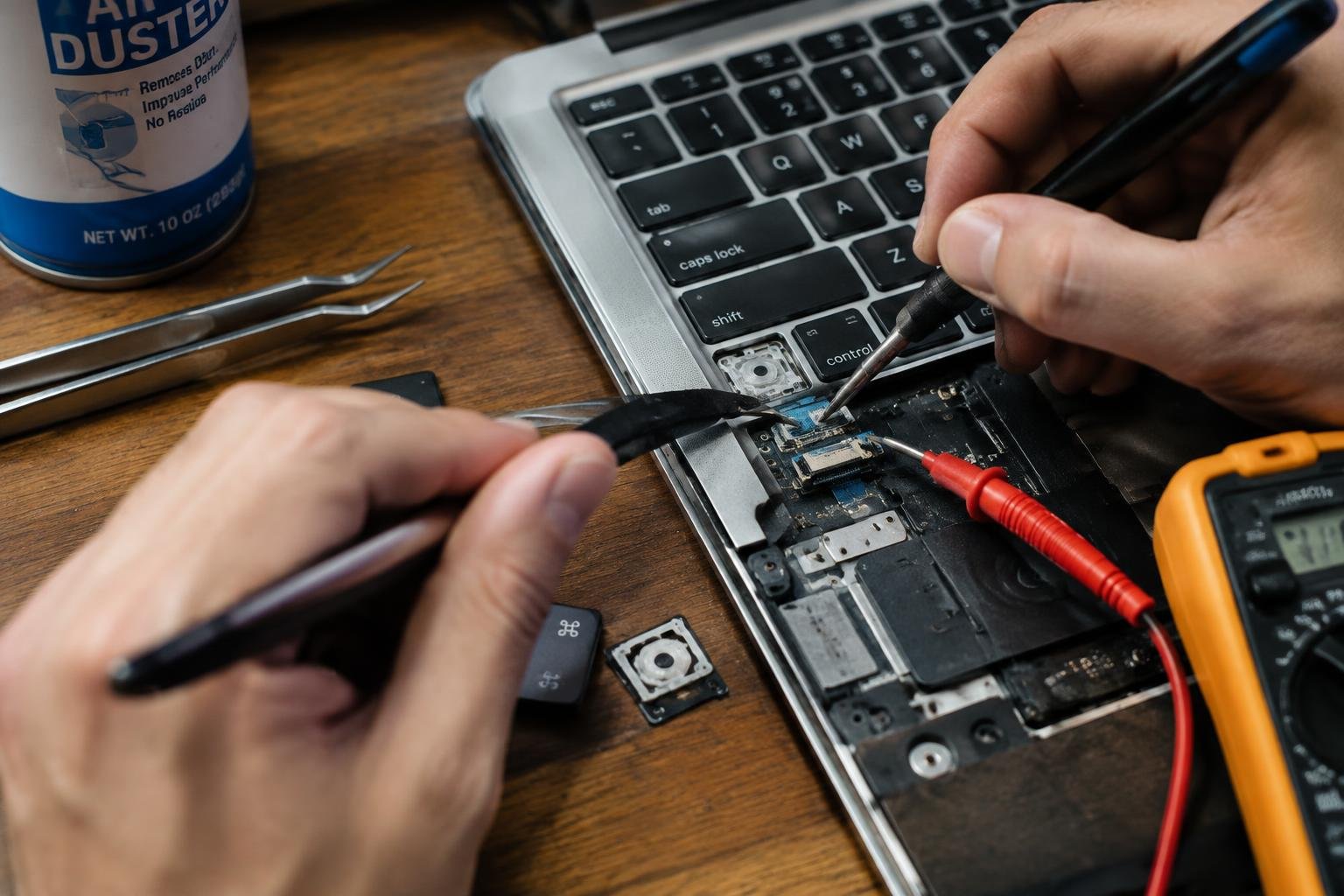
Dirt, dust, and debris often accumulate under your keys, disrupting electrical connections and causing unresponsiveness. Power off your laptop completely and turn it upside down to dislodge loose particles. Use compressed air in short bursts between the keys, ensuring you hold the can upright to avoid moisture spray. For stubborn grime, lightly dampen a cotton swab with isopropyl alcohol and carefully clean around each key. Let the keyboard dry fully before powering back on-this simple maintenance step resolves many common keyboard failures without requiring technical repairs.
Internal Connections
If your laptop keyboard stops responding after a drop or disassembly, loose internal connections may be the cause. You should power down the device completely and disconnect the battery before checking the ribbon cable that links the keyboard to the motherboard. A slight dislodgement or dust buildup on the connector can interrupt communication. Carefully unplug and reseat the cable, ensuring it clicks securely into place. This simple reconnection resolves unresponsive keys in many models, especially in older or frequently serviced laptops.
Power Cycling
Rebooting your laptop won’t always resolve a non-responsive keyboard, but performing a full power cycle can make a difference. Shut down your device completely, then unplug the power adapter and remove the battery if it’s user-accessible. Press and hold the power button for 15 to 20 seconds to discharge any residual electricity. Reconnect the power source, reinstall the battery, and turn the laptop back on. This reset often clears electrical glitches affecting peripheral components like the keyboard.
External Workarounds
When your laptop’s built-in keyboard fails and immediate repairs aren’t possible, connecting an external USB or wireless keyboard keeps you productive. You can plug in a standard wired keyboard via a USB port or pair a Bluetooth model if your laptop supports it. Many users find this solution reliable while diagnosing deeper issues. A portable Bluetooth option offers flexibility, especially for lightweight laptops like ultrabooks. This temporary setup works well for both work and personal use.
Hardware Replacement
If your laptop keyboard still fails after troubleshooting internal connections and cleaning, the physical components may be irreparably damaged. You’re likely facing a need for hardware replacement, especially if keys are unresponsive or show signs of internal fracture. Most modern laptops integrate the keyboard into the chassis, making DIY swaps complex without proper tools and experience. A technician can assess whether a full motherboard replacement is necessary or if a modular keyboard unit can be installed. For many users, especially those with aging devices, investing in a new laptop may be more cost-effective than extensive repairs.
Summing up
You now have a clear path to diagnose and resolve a suddenly unresponsive laptop keyboard. Start with simple checks like restarting your device or testing an external keyboard, then move to cleaning keys or inspecting internal connections if needed. Software updates and driver resets often fix unresponsive keys without technical repair. If troubleshooting fails, the issue may require professional hardware replacement. Your persistence in testing each solution increases the odds of restoring full functionality quickly and affordably.
FAQ
how much does it cost to fix a laptop keyboard that stopped working suddenly?
Repair costs typically range from $50 to $150, depending on labor rates and parts. Higher-end laptops or models with integrated components may cost more, and some manufacturers charge a minimum service fee even for basic repairs.
how long does it take to fix a laptop keyboard that stopped working suddenly?
Most repairs take 1 to 3 business days, depending on service center workload and part availability. If the keyboard requires ordering a specific model or involves motherboard work, it could take up to a week.
can cleaning a laptop keyboard cause damage if done wrong?
Yes, using liquids or excessive pressure can damage internal circuits or dislodge keys. Always power off the laptop and use compressed air or a soft brush with minimal force to avoid harming sensitive components.
what are common mistakes people make when trying to fix a non-working laptop keyboard?
A frequent error is forcing keys off or using water-based cleaners, which can break the mechanism. Another is skipping driver updates, assuming the issue is purely hardware when software often plays a role.
is it worth replacing a laptop keyboard or should I buy a new laptop instead?
It is usually worth replacing the keyboard if the laptop is less than three years old and otherwise functional. For older or low-value models, the repair cost may approach or exceed the device’s remaining value.
 Previous Post