



Laptop Hinge Repair Cost Explained Guide
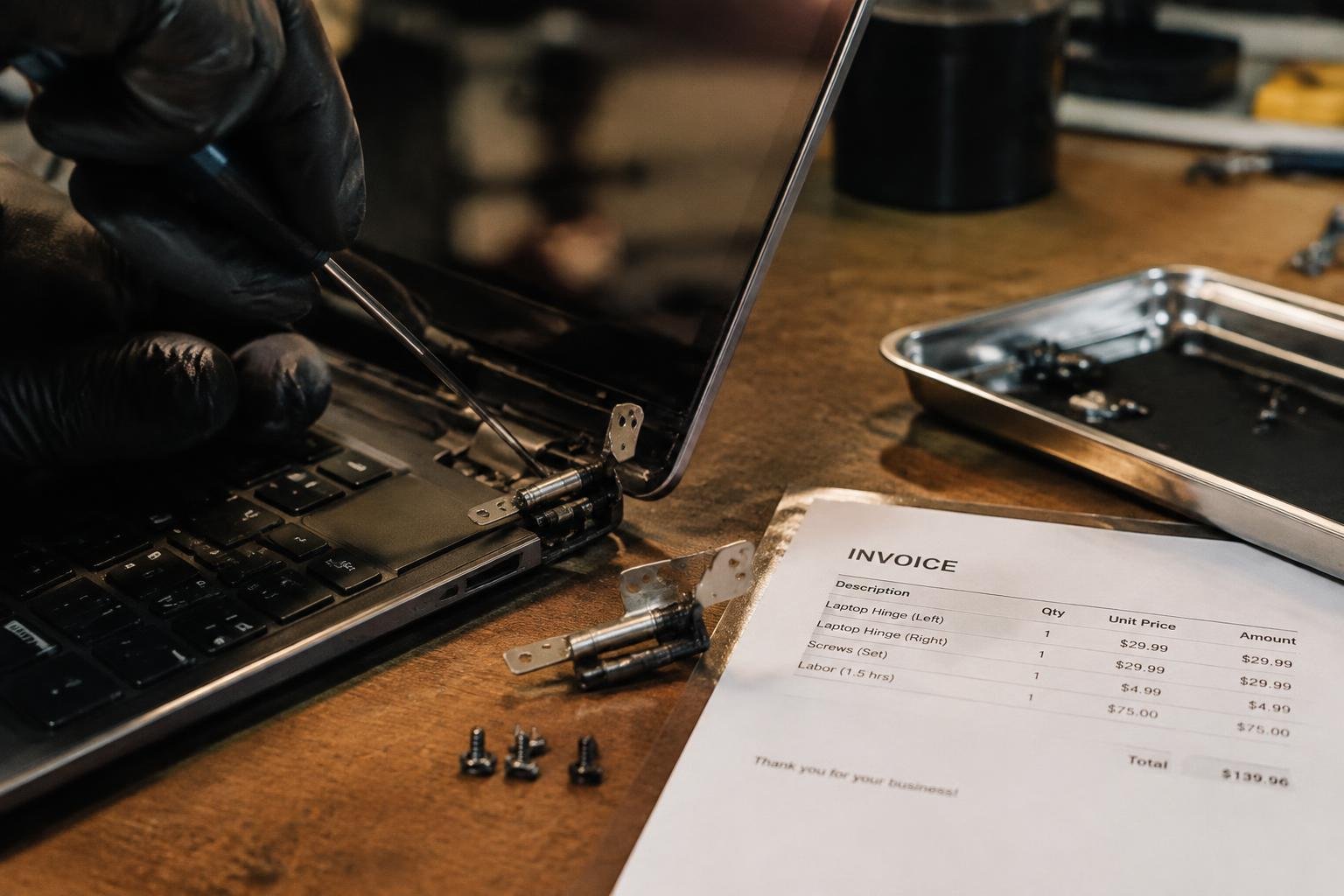
You’re facing a wobbly or broken laptop hinge and need to know what repair will cost. Prices vary widely based on device model, damage severity, and whether you choose professional service or a DIY approach. This guide breaks down every factor that affects pricing, helping you make an informed decision without overspending.
Key Takeaways:
- Laptop hinge repair costs typically range from $50 to $200, depending on the device model, extent of damage, and labor rates at the repair shop.
- High-end or ultrabook models like MacBooks or premium Windows laptops often require more expensive parts and specialized labor, pushing repair prices toward the higher end.
- Some manufacturers use proprietary hinge designs or tamper-resistant hardware, making repairs more complex and increasing both time and cost.
- Attempting a DIY fix can save money but risks further damage if tools are improper or experience is limited-especially with delicate ribbon cables near the hinge assembly.
- Ignoring early signs of hinge strain, such as screen wobbling or difficulty holding position, often leads to more severe issues like broken casings or damaged display connectors, raising total repair expenses.
Common Types of Laptop Hinge Damage
Laptop hinge damage often stems from repeated mechanical stress and material limitations. Over time, the components that enable smooth screen movement weaken or break, compromising both function and structural integrity. Two primary failure modes dominate these issues: degradation of metal parts due to cyclical loading and fracturing of plastic housing or brackets. These problems typically develop gradually, with symptoms like screen wobble, difficulty maintaining display position, or visible gaps near the hinge casing.
- Metal fatigue in hinge pivot arms
- Crazing or cracking in plastic chassis around hinge points
- Loose or dislodged mounting screws
- Broken hinge brackets bonded to the case
- Worn internal spring mechanisms
| Mechanical Issue | Description |
| Metal Fatigue | Microfractures form in metal components due to repeated opening and closing motions over time. |
| Plastic Chassis Crack | Housing surrounding the hinge develops fractures, especially in polycarbonate or ABS enclosures. |
| Bracket Separation | Internal metal or plastic brackets pull away from the laptop’s frame, reducing stability. |
| Screw Thread Wear | Repeated assembly and disassembly erode screw holes, leading to loose connections. |
Stress-Induced Metal Fatigue
Your laptop’s hinge contains precision-engineered metal components designed to endure thousands of opening and closing cycles. However, constant rotational force leads to microscopic cracks that grow with use. This progressive weakening-known as metal fatigue-often begins at stress concentration points like sharp corners or drilled holes. You may first notice slight resistance or uneven movement when lifting the screen. Left unaddressed, the hinge shaft can snap completely, immobilizing the display or damaging the LCD cable routed through it.
Plastic Chassis and Mounting Bracket Failure
The plastic housing around your laptop’s hinge area bears significant mechanical load each time you open the lid. Unlike metal, plastic lacks elasticity and tends to become brittle over time, especially when exposed to temperature shifts or physical impacts. Cracks usually start near screw anchors or corner joints where stress accumulates. When the mounting bracket fractures or pulls free from the casing, the hinge loses its anchor point. This compromises alignment and often results in a sagging or lopsided screen that no longer closes flush.
Key Factors Influencing Repair Expenses
The total cost of repairing your laptop hinge isn’t just about labor-it’s heavily shaped by the availability of parts and the brand’s exclusivity. High-end manufacturers often use proprietary components, making replacements harder to source and more expensive. You’re likely to pay more if your model is no longer in production or if only the original manufacturer supplies the parts. Widespread availability keeps prices lower, while scarcity inflates them.
- Proprietary designs limit third-party part options
- Discontinued models increase part scarcity
- Brand-specific materials raise replacement costs
- Global supply chains affect part delivery times and pricing
Brand and Model Parts Availability
Your laptop’s brand directly affects how much you’ll pay to fix a broken hinge. Major brands like Apple or Dell often use custom-designed hinges that aren’t sold universally, meaning you’ll rely on OEM parts that are more expensive. If your model is older or rare, suppliers may no longer stock the hinge, forcing you to wait or pay a premium. Common models from brands like Lenovo or HP usually have more affordable aftermarket options.
Extent of Secondary Screen or Bezel Damage
Damage extending beyond the hinge into the screen bezel or display frame can significantly raise repair costs. If the plastic casing around the screen is cracked or the LCD housing is warped, those components may need replacement too. You’re not just paying for the hinge itself-replacing surrounding parts adds both material and labor expenses. Minor hinge wear keeps costs contained, but visible structural damage around the display usually means a more complex and costly fix.
Pros and Cons of Professional vs. DIY Fixes
Choosing between professional repair and a DIY approach directly impacts both your wallet and your laptop’s long-term reliability. Manufacturer-authorized service often preserves warranty coverage and uses precise tools, while independent or self-repair can offer significant cost savings but carries the risk of improper installation. Your decision hinges on balancing financial constraints with the need for technical accuracy and protection against future issues.
| Aspect | Professional Repair | DIY Fix |
| Cost | Higher due to labor and certified parts | Lower, mainly covers parts and tools |
| Warranty Protection | Maintained if done through authorized providers | Often voids manufacturer warranty |
| Repair Quality | Consistent, using OEM components and standards | Varies based on skill and available tools |
| Time Investment | Limited to drop-off and pickup | Extensive, including research and execution |
| Part Availability | Access to genuine manufacturer parts | Reliance on third-party or used components |
| Technical Expertise | Performed by trained technicians | Depends on personal experience |
| Convenience | Minimal effort required from user | Requires disassembly and reassembly skills |
| Risk of Damage | Very low with proper handling | High if procedures are not followed correctly |
| Turnaround Time | Can take several days depending on location | Immediate, if parts are on hand |
| Long-Term Reliability | Typically high with warranty support | Unpredictable without proper calibration |
Benefits of Manufacturer-Authorized Service
You gain peace of mind when you choose a manufacturer-backed repair center. Technicians use original equipment manufacturer (OEM) parts and follow strict protocols, ensuring the hinge functions as intended. This level of service maintains your warranty and reduces the chance of recurring mechanical issues. While more expensive, the precision and accountability involved make it a reliable choice for long-term device performance, especially for newer or high-end models.
Risks and Savings of Independent Repair
You can save up to half the cost by opting for an independent technician or doing the work yourself. Many local shops offer quick turnaround times and competitive pricing using compatible parts. However, there’s no guarantee the repair will meet factory standards, and incorrect installation may lead to screen misalignment or further damage. The lack of warranty coverage means you assume full responsibility if problems arise later.
Step-by-Step Guide to the Hinge Replacement Process
Replacing a damaged laptop hinge requires precision, the right tools, and a clear understanding of internal component layout. The process begins with safely opening the device to access the broken hinge mechanism. Below is a breakdown of the key actions involved:
| Step | Action |
|---|---|
| 1 | Power off the laptop and disconnect the battery to prevent electrical damage. |
| 2 | Remove screws securing the bottom panel and carefully detach the casing. |
| 3 | Disconnect the display cable and any other connectors linked to the hinge area. |
| 4 | Unscrew and extract the damaged hinge assembly from the display bracket. |
| 5 | Install the new hinge, align it properly, and reattach all screws and connectors. |
Internal Access and Component Removal
You must start by removing the rear casing to expose internal components. Use a precision screwdriver to take out all screws securing the back panel, noting their positions to avoid misalignment during reassembly. Carefully detach the display cable from the motherboard to free the lid assembly. Gently lift the screen from the base, ensuring no force is applied to fragile wires. Keep screws and small parts in a labeled container to prevent loss.
Securing New Hinges and Reassembling the Frame
Your replacement hinge should match the original in design and mounting pattern. Align the new hinge with the display bracket and fasten it using the appropriate screws. Reconnect the display cable and verify it clicks securely into place. Reattach the back panel, ensuring all ports and openings line up correctly. Power on the device to test screen movement and stability before finalizing the repair.
Maintenance Tips to Prevent Future Failures
How you handle your laptop daily directly impacts the longevity of its hinges. Avoid opening or closing the lid with one hand, especially at the corners, as this places uneven pressure on the hinge mechanism. Never lift your laptop by the screen, and keep the device free of debris that can work into the hinge area. Practicing mindful handling reduces mechanical stress and helps prevent premature wear that leads to costly repairs.
Optimal Opening and Closing Techniques
Supporting the base with one hand while using the other to lift the lid from the center ensures even force distribution across both hinges. You minimize strain by avoiding quick, jerky motions when opening the screen, especially from cold starts. Keep the lid within the designed opening range-don’t force it past its natural stop. These small adjustments in how you open and close your laptop greatly extend hinge durability over time.
Periodic Screw Tightening and Cleaning
- Check the screws near the hinge area every few months for looseness using the correct size screwdriver.
- Clean around the hinge with a soft brush or compressed air to remove dust, lint, or pocket debris.
- Never use excessive force when tightening screws-over-torquing can strip the threads or damage the casing.
- Apply a small drop of lubricant only if recommended by the manufacturer, using a precision applicator.
Consistent hardware care prevents gradual misalignment and wobbling that often lead to hinge failure. A few minutes of inspection and cleaning every few months can save you from expensive repairs down the line.
Final Words
You now understand the variables shaping laptop hinge repair costs, from device brand and damage severity to labor rates and parts availability. Whether opting for professional service or a DIY approach, your decision impacts both immediate expenses and long-term reliability. High-end models often demand specialized tools and expertise, increasing repair value, while timely maintenance can prevent recurrence. You’re equipped to make informed choices that balance cost, convenience, and durability, ensuring your laptop remains functional without unexpected setbacks.
FAQ
How much does laptop hinge repair cost on average?
Laptop hinge repair typically costs between $100 and $300, depending on the brand, model, and labor rates. High-end or older models may exceed this range due to limited parts availability or complex disassembly requirements.
Is it worth repairing a laptop with broken hinges?
Yes, repairing broken hinges is often worth it if the laptop otherwise performs well and replacement would be more expensive. However, extensive screen or motherboard damage may make repair less economical than upgrading to a new device.
How long does it take to replace a laptop hinge?
Replacing a laptop hinge usually takes 1 to 3 hours, depending on the design complexity and technician experience. Some models require additional time due to fragile connectors or sealed components that slow disassembly.
What are common mistakes when fixing laptop hinges at home?
Common DIY mistakes include stripping screw heads, damaging ribbon cables during disassembly, and misaligning the new hinge. Lack of proper tools or skipping model-specific guides increases the risk of permanent damage.
Can you use a laptop with a broken hinge temporarily?
Yes, you can use a laptop with a broken hinge temporarily if the screen remains stable and connections are intact. However, continued use may worsen internal damage, especially if the display wobbles or puts strain on the video cable.
 Previous Post