



Laptop GPU Repair Possibility Explained
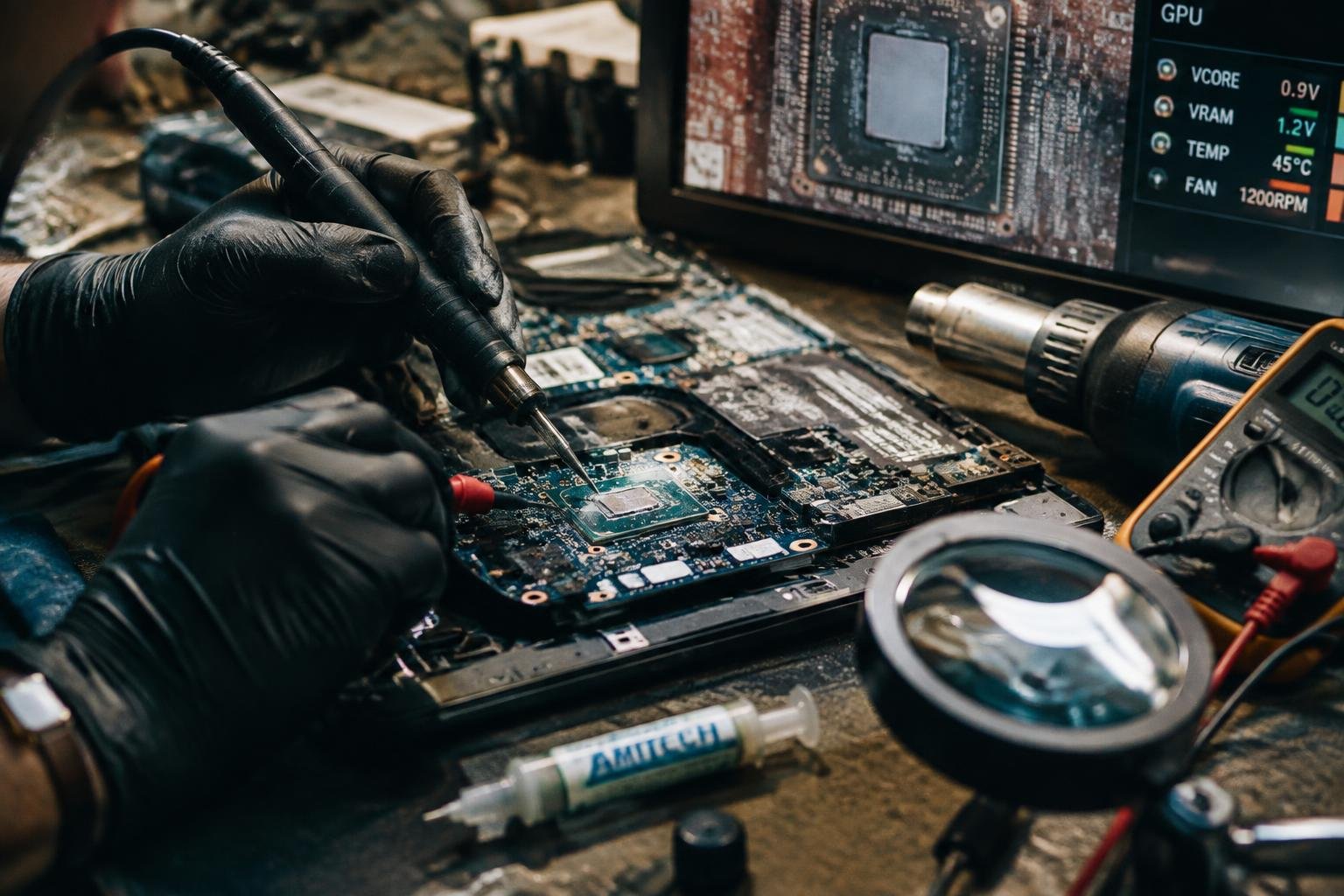
You’ve seen the flickering screen, the sudden crashes, or the complete failure to display an image-signs your laptop’s GPU may be failing. Many assume replacement is the only path, but repair is often a real option. Understanding how GPU damage occurs and whether it can be fixed helps you make informed decisions about cost, time, and long-term reliability.
Key Takeaways:
- Laptop GPU failures often stem from degraded solder joints due to repeated heating and cooling, not from the GPU chip itself being damaged.
- Reflowing or reballing the GPU can temporarily restore function, but success depends heavily on the technician’s skill and the extent of underlying damage.
- Unlike desktop GPUs, laptop graphics chips are usually soldered directly to the motherboard, making replacement impractical without specialized tools and expertise.
- Many manufacturers do not support GPU repairs, often pushing users toward buying new devices instead of fixing existing ones.
- While some repairs hold for months or even years, others fail quickly, making the long-term reliability of a fixed laptop GPU unpredictable.
The Breaking of the Solder
Repeated heating and cooling inside your laptop’s GPU slowly weakens the solder that binds the chip to the circuit board. Each time you power on the machine, thermal expansion pushes and pulls at these microscopic connections until tiny fractures form. Over months or years, those cracks grow, disrupting electrical flow and causing graphical glitches or complete failure. This fatigue is unavoidable in high-heat environments, especially in older models or machines used heavily for gaming or rendering.
Lead and Heat
Lead-based solder once offered better resistance to thermal stress, but modern environmental standards have replaced it with lead-free alternatives that run hotter and are more brittle. Your laptop’s GPU reaches temperatures exceeding 90°C under load, and those repeated spikes make the stiff new alloys prone to splitting. Even precise manufacturing can’t prevent long-term damage when heat cycles accumulate, especially in compact designs where cooling is limited and heat concentrates near the processor.
The Cracked Joint
A single fractured solder joint under the GPU can break the connection between the chip and motherboard, leading to signal loss or intermittent performance. These cracks are invisible without specialized inspection tools, often hidden beneath the component itself. When enough joints fail, the GPU may stop working entirely, showing symptoms like screen artifacts, crashing during intensive tasks, or failing to initialize. The damage is physical, not software-based, so no driver update or reinstall will restore function.
The Trial by Fire
Controlled heat applied with precision can reflow the solder beneath a GPU chip, restoring electrical connections compromised by thermal stress. You direct the heat evenly, watching for the exact moment the solder liquefies and reattaches correctly. This method doesn’t guarantee success, but when executed correctly, it can revive a seemingly dead laptop GPU without replacing any hardware. The process demands patience, a steady hand, and a clear understanding of how heat distributes across sensitive circuitry.
The Heat Gun
A heat gun gives you direct control over the temperature applied to the GPU area. You hold it at a consistent distance, moving in slow, deliberate motions to avoid overheating nearby components. The goal is to reach the solder’s melting point without damaging the surrounding traces or capacitors. Using the right heat setting and maintaining a steady hand ensures the BGA (ball grid array) package reflows evenly, potentially restoring connectivity across hundreds of microscopic joints at once.
The Flow of Flux
Flux clears oxidation and helps molten solder flow smoothly between connections. You apply a small amount before heating, allowing it to wick under the chip and clean the contact points. This increases the chance of a successful reflow by improving adhesion and conductivity. Too much flux causes residue buildup, while too little leaves connections vulnerable to poor bonding-precision in application is key to achieving clean, reliable reattachment during the heating process.
The Work of the Hands
Rebuilding the connection between a GPU and the motherboard demands precision and steady control. You remove the damaged chip, then prepare the board for a true reset. Every trace matters, and contamination risks failure. This is not assembly-line work but a tailored intervention, where success hinges on attention to microscopic detail. Your tools become extensions of instinct, guiding the repair toward stability without overstepping into further damage.
The Stencil
A precise stencil aligns the solder pattern exactly over the GPU footprint on the motherboard. You place it carefully, ensuring no misalignment compromises the connections. Made from thin stainless steel, it holds the blueprint of conductivity, defining where each new sphere will land. Even a fraction of a millimeter off can lead to shorts or open circuits. Your success depends on this silent guide, invisible in function but essential in execution.
The New Spheres
Fresh solder spheres restore the original electrical pathways with clean, uniform material. You load them onto the stencil, each one a tiny bridge waiting to form. These spheres melt during reflow, creating reliable joints that bypass the cracked and fatigued ones. Their consistency ensures even thermal expansion and contraction. With this reset, the GPU regains its physical link to the system, setting the stage for a full return to function.
The Cost of the Fight
Repairing a laptop GPU often demands more than technical skill-it requires weighing financial sense against emotional attachment. You may spend hundreds on diagnostics, parts, and labor only to restore a machine worth less than the repair bill. Market value for most used laptops rarely justifies high-cost fixes, especially when newer models offer better performance at lower prices. Even successful repairs can leave you with outdated hardware that struggles to run current software efficiently.
The Worth of Iron
Your laptop’s materials and components have intrinsic value, but it’s usually far below what a repair costs. A mid-sized SaaS firm wouldn’t replace a server blade for similar issues, yet consumers often treat personal devices differently. The sentimental or functional attachment skews perception, making a $150 motherboard seem priceless. In truth, recyclers pay pennies for the metal and plastic, underscoring that emotional worth doesn’t translate to market value.
The Odds of Success
Success rates for GPU reflow or replacement hover around 40% even in professional labs with proper equipment. Many attempts fail due to microfractures, damaged traces, or underlying chipset degradation unseen during initial inspection. You might invest time and money only to face recurring artifacts or complete failure weeks later. Each attempt increases the risk of collateral damage, potentially rendering the motherboard unusable for any future workaround or part harvesting.
The Cold Peace
A well-cooled GPU can outlast its expected lifespan, quietly delivering performance without a hitch. Heat is the silent enemy, creeping in with every degree above safe thresholds, degrading components over time. You keep this threat at bay not through luck but discipline-consistent maintenance and awareness of your machine’s thermal behavior. Stability isn’t achieved once; it’s maintained through deliberate choices in how you care for the hardware.
The Clean Fan
Fans accumulate dust faster than most users realize, especially in environments with pets or carpets. When debris clogs the blades or grills, airflow drops significantly, forcing the system to run hotter under load. You restore cooling efficiency by carefully disassembling the fan unit and removing buildup with compressed air and soft brushes. A clean fan spins freely and quietly, doing its job without strain, ensuring heat escapes before it damages sensitive circuitry.
The New Paste
Thermal paste degrades over time, losing its ability to transfer heat from the GPU die to the heatsink. Even if the surface looks intact, microscopic gaps form as the compound dries, creating insulation instead of conduction. You address this by fully removing the old material with isopropyl alcohol and applying a fresh, pea-sized amount of high-quality paste. This simple act renews thermal contact, often dropping operating temperatures by several degrees.
The Digital Guard
Controlling the voltage is your first line of defense against thermal runaway. You’re not just managing power-you’re containing the energy that could ignite failure inside the GPU. Every millivolt matters when heat builds at microscopic junctions. By keeping voltage within safe margins, you prevent excessive current from overwhelming weakened circuits. This restraint doesn’t reverse damage but halts escalation. Think of it as regulating fuel to a fire already smoldering. Your control decisions directly influence whether the chip stabilizes or spirals toward permanent failure.
The Lower Voltage
Reducing voltage decreases thermal output at the transistor level, which is essential when solder joints are fatigued or compromised. You’re not sacrificing performance blindly-you’re recalibrating for survival. A lower voltage means less electromigration and reduced stress on damaged pathways. Many modern GPUs allow fine-tuned undervolting through software, giving you direct influence over stability. When applied correctly, this adjustment keeps the chip functional under load without pushing it beyond its physical limits. The chip may run slower, but it runs longer.
The Steady Clock
Stable clock speeds prevent sudden power spikes that can overwhelm a repaired or weakened GPU core. You benefit from consistency, not peak bursts that strain fragile connections. By locking the clock to a reliable frequency, you eliminate the surges that accompany dynamic boosting. This steady state reduces thermal cycling, which is especially dangerous after reflow or reballing. Your goal isn’t maximum output but sustained operation. A fixed, moderate clock acts like a steady hand on the throttle, keeping the system within a safe operational window.
To wrap up
You now understand that repairing a laptop GPU is technically possible but demands precision, specialized tools, and deep technical knowledge. Most consumer laptops integrate the GPU directly onto the motherboard, making replacement impractical without reflowing or reballing the chip. While some technicians succeed in fixing overheating or solder fatigue issues, long-term reliability remains uncertain. Manufacturers rarely support such repairs, and warranty coverage typically excludes them. For most users, replacing the laptop or relying on external solutions proves more practical and cost-effective than pursuing GPU repair.
FAQ
Can a laptop GPU be repaired instead of replaced?
Yes, a laptop GPU can be repaired through reballing or reflowing the solder joints. The success depends on the skill of the technician and the extent of the heat damage to the chip and motherboard.
How much does it cost to fix a GPU on a laptop?
Professional GPU repair typically costs between $100 and $300, depending on the shop and region. This does not include potential motherboard or cooling system repairs that may also be needed.
How long does it take to repair a laptop GPU?
A GPU repair usually takes 1 to 3 days, depending on the method used and shop workload. Rush services may be available but do not guarantee better long-term results.
What are the risks of attempting GPU reflow at home?
Home reflow attempts with heat guns or ovens often cause further damage due to uneven heating. Without proper tools and experience, the risk of destroying the GPU or motherboard is high.
Is repairing a laptop GPU worth it compared to buying a new laptop?
Repairing a laptop GPU is rarely worth it for older or mid-range models due to high labor costs. It may be justified only if the laptop is high-end and otherwise in excellent condition.
 Previous Post