



Laptop Suddenly Shuts Down Randomly Causes
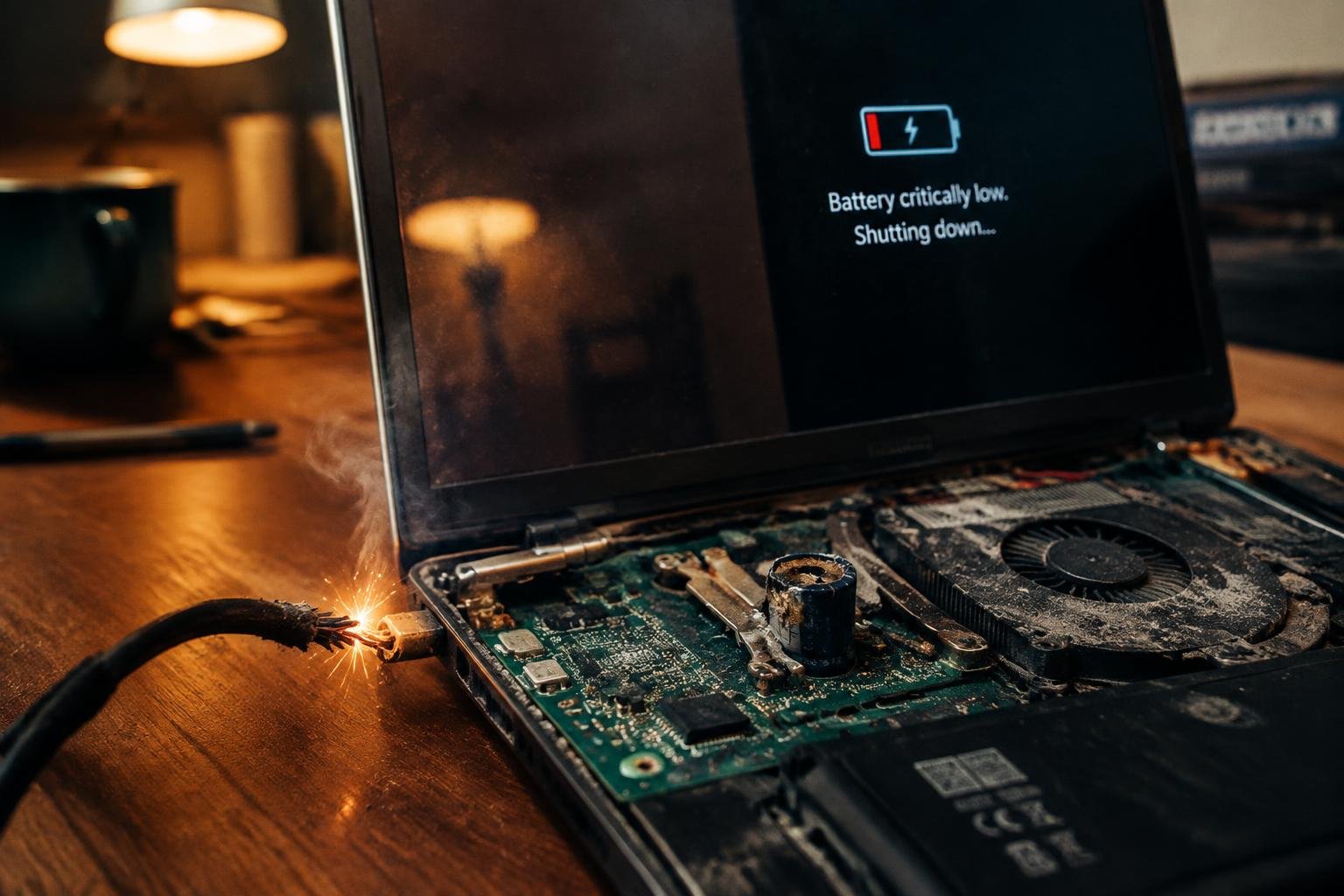
You’re in the middle of a critical task when your laptop powers off without warning. No warning message, no gradual shutdown-just darkness. This kind of unexpected behavior often points to specific underlying issues, from overheating components to failing hardware. Understanding what triggers these abrupt shutdowns puts you in control of diagnosing and resolving the problem efficiently.
Key Takeaways:
- A failing power supply can cause unexpected shutdowns, especially if the laptop works only when plugged in and dies immediately when unplugged.
- Overheating due to blocked vents or degraded thermal paste often triggers automatic shutdowns as a safety response to high internal temperatures.
- Corrupted system files or driver conflicts may lead the operating system to crash without warning, mimicking a hardware failure.
- A swollen or degraded battery can cause sudden power loss, even if the battery appeared to be functioning normally moments before.
- Faulty motherboard components, such as failing capacitors or damaged circuits, can interrupt power delivery and lead to random shutdowns.
The Fever of the Machine
Heat builds inside your laptop with every passing minute of use, and when cooling systems can’t keep pace, temperatures climb to dangerous levels. Your machine may shut down without warning as a built-in safety response to prevent hardware damage. Dust-clogged vents, worn thermal paste, or a failing fan often lie behind this overheating. You’ve likely noticed the warmth increasing near the keyboard or heard the fan running louder than usual before the sudden power loss. These signs point to a system struggling to breathe under thermal stress.
The Failing Heart
Your laptop relies on the battery to deliver consistent power, but when it begins to degrade, unexpected shutdowns become common. You might notice it dying rapidly even at full charge or failing to hold a charge altogether. Swelling, overheating, or manufacturing defects can all compromise its function over time. If your laptop shuts down without warning-especially when unplugged-the battery is likely the failing heart behind the malfunction. Replacing it with a genuine, compatible unit often restores stability and prevents further abrupt power loss.
Ghostly Instructions
Your laptop executes countless commands every second, but corrupted or malformed instructions can cause it to shut down without warning. When software bugs, faulty updates, or damaged system files send conflicting signals to the processor, the operating system may trigger an emergency halt to prevent damage. You might not see an error message at all-just a sudden blackout, as if the machine vanished mid-thought. These ghostly instructions often stem from recently installed programs or drivers that aren’t fully compatible with your hardware. Pay attention to when the crashes started; tracing them back to a specific installation can reveal the invisible culprit behind the chaos.
Broken Bones
Physical damage to your laptop’s internal structure can lead to unexpected shutdowns, especially if the motherboard has suffered a crack or trace damage from impact. You might not see obvious signs, but even a small fracture can disrupt power delivery or data flow between components. Dropping your device or applying pressure to the chassis often causes these hidden injuries. When the system loses connectivity across critical pathways, it shuts down to prevent further harm. Repairing broken circuit board traces is possible, but requires precision work from a qualified technician.
The Silent Circuit
Power fluctuations within your laptop might not always announce themselves with sparks or error messages. Sometimes, a compromised circuit silently disrupts the flow of electricity, leading to unexpected shutdowns. You may notice the machine dies without warning, even when the battery appears charged. Internal protection mechanisms trigger when irregular current reaches sensitive components, forcing an immediate power cut. This behavior often stems from damaged voltage regulators or microscopic breaks in the motherboard’s traces. Replacing the battery or cooling the system won’t resolve this-only a detailed hardware inspection can uncover these hidden flaws.
To wrap up
You now understand that random shutdowns stem from identifiable sources-overheating processors, failing batteries, corrupted system instructions, or damaged internal components. Each possibility follows a logical path, and each has signs you can detect. You do not need to accept the shutdowns as random. With careful observation and methodical checks, you can isolate the cause, whether it’s a clogged fan or a failing power management chip. Acting early protects your data and extends your laptop’s life. Your next step is to test, measure, and verify.
FAQ
how much does it cost to fix a laptop that shuts down randomly?
Repair costs typically range from $50 to $200, depending on the cause and service provider. A simple fan cleaning may cost under $75, while motherboard or power circuit repairs often exceed $150, especially if parts need replacing.
how long does it take to diagnose why my laptop suddenly shuts down?
Most diagnostics take 1 to 3 business days, depending on the repair shop’s workload and complexity. If parts testing or multiple issues are involved, it may take longer to pinpoint the exact cause.
is it worth fixing a laptop that turns off by itself?
Yes, if the repair cost is under half the price of a new laptop and the device is otherwise in good condition. Older models with major hardware failures may not justify the expense, especially if parts are scarce.
what are common mistakes people make when dealing with random shutdowns?
Ignoring overheating signs and continuing to use the laptop after repeated shutdowns can worsen internal damage. Another frequent error is attempting complex fixes without experience, which risks voiding warranties or causing further harm.
can malware cause a laptop to shut down unexpectedly?
Yes, certain malware can trigger system crashes or shutdowns by overloading processes or corrupting system files. However, hardware issues like overheating or power faults are more common causes and should be ruled out first.
 Previous Post
 Next Post