



Lenovo ThinkPad Repair Problems Explained
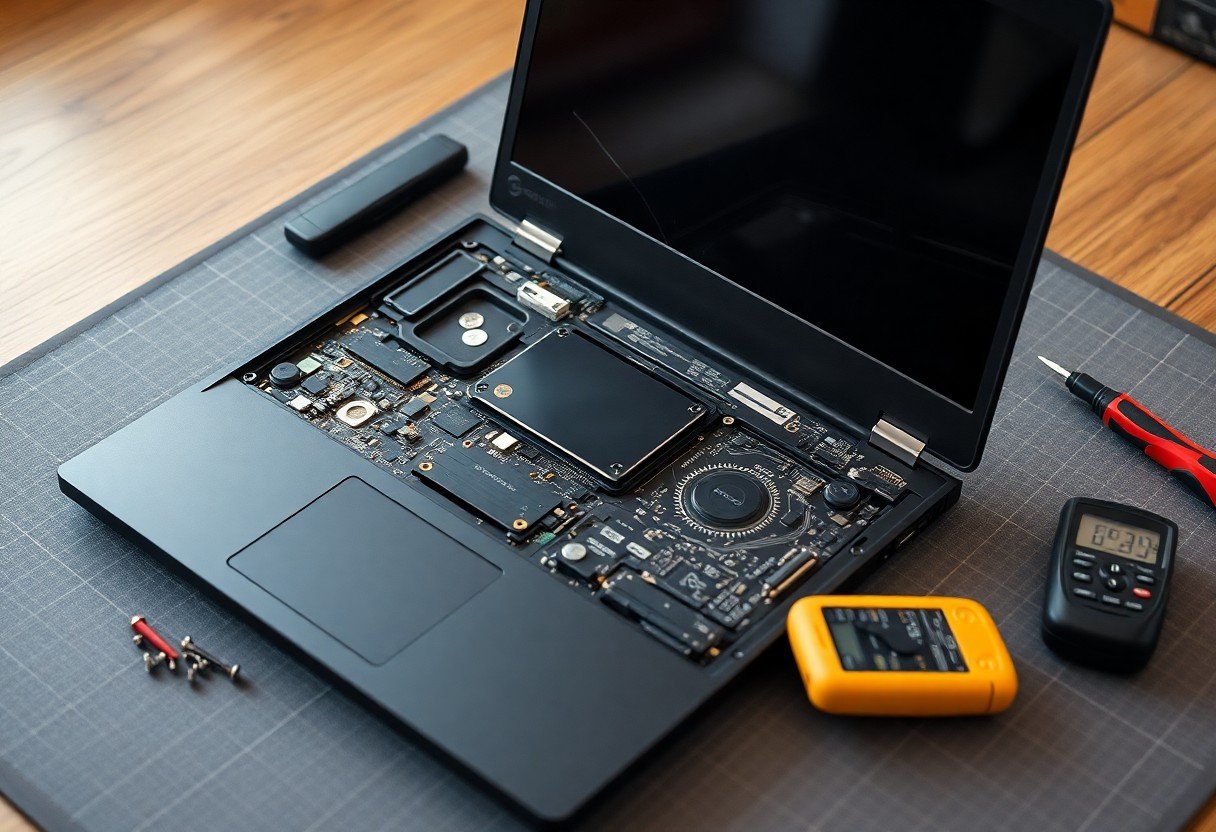
With its reputation for durability and performance, your ThinkPad was likely a deliberate choice for reliability in demanding environments. Yet when repairs are needed, you may find yourself facing unexpected obstacles, from inaccessible components to proprietary firmware restrictions. These challenges don’t just delay fixes-they reshape how you maintain and extend the life of a machine built to last.
Key Takeaways:
- Many modern ThinkPads, such as the T14 and X1 Carbon Gen 10, use soldered RAM, eliminating the option to upgrade memory after purchase and locking users into their initial configuration.
- Despite their reputation for durability, recent models incorporate more plastic in hinges and chassis components, leading to stress fractures and port misalignment after moderate field use.
- Cooling systems in compact models often struggle under sustained loads, with dust accumulation in tightly spaced vents accelerating thermal throttling and reducing component lifespan.
- Lenovo’s modular repair approach means some parts, like power buttons or USB-C ports, are only available as large, expensive assemblies, forcing users to replace entire boards for minor failures.
- Firmware restrictions on batteries and displays can prevent third-party replacements from functioning, even when physically compatible, limiting repair options and increasing long-term ownership costs.
The Soldered Memory Trap
Your ThinkPad may not let you upgrade the RAM at all, because the memory is soldered directly onto the motherboard. This design choice, common in recent X1 Carbon and T-series models, locks you into the configuration you purchased. If you later need more memory for virtual machines or large datasets, you cannot simply add a stick. You either live with the limitation or replace the entire system, a constraint that undermines the long-term value these laptops otherwise offer.
The Weakness of Plastic
You often overlook how much stress the chassis absorbs during daily use, yet many ThinkPad models rely on plastic components that fatigue over time. Hinges anchored in plastic mounts can loosen after months of opening and closing, especially on the T480 and X1 Carbon variants. A single drop on a tile floor may crack the base near the battery latch, and replacement panels rarely match in color or texture, leaving visible repair scars.
The Heat and the Dust
Your ThinkPad’s performance degrades over time not just from age but from something far more physical: heat buildup caused by dust accumulation in the cooling system. A mid-sized SaaS firm reported repeated fan failures in their T480 fleet, traced directly to clogged vents in office environments with low airflow. Cleaning the heatsink and replacing dried thermal paste often restores stability, yet many users overlook this simple maintenance until throttling becomes unavoidable.
The Parts Scavenger
Tracking down replacement parts for older ThinkPad models often means relying on third-party vendors or salvaged components from decommissioned units. You may find yourself sourcing a keyboard from a refurbished unit in Europe or replacing a rare hinge design only available through niche suppliers. Some components, like proprietary power adapters or specific palm rest assemblies, no longer appear in standard retail channels, forcing reliance on used or aftermarket alternatives that may vary in quality. A mid-sized SaaS firm maintaining a fleet of aging T480s recently reported spending over 200 staff hours in a single quarter just coordinating part replacements across regions.
Firmware Cruelty
Lenovo ties certain components to the motherboard through proprietary firmware locks, meaning replacements like screens or batteries may fail even when physically identical to the original. You might install a new display panel only to find it disabled by system-level restrictions tied to the serial signature of the factory part. This practice extends beyond convenience, effectively blocking third-party repairs and limiting your ability to restore functionality without authorized service. A technician at a repair shop in Portland documented three ThinkPad T14 units where replacement batteries refused to charge due to firmware binding, forcing customers back to Lenovo-certified channels despite functional hardware.
The Keyboard Struggle
Typing on a ThinkPad is often described as a pleasure, yet over time, keys can become unresponsive or stick due to debris trapped beneath the scissor switches. You’ve likely noticed inconsistent key travel or missed inputs, especially in models like the T480 or X1 Carbon Gen 6, where the keyboard sits flush with the palm rest, increasing the chance of dust and lint accumulation. Replacing the entire assembly is usually necessary, as individual key caps aren’t designed for easy servicing, and third-party replacements may lack the signature tactile feedback you expect.
To wrap up
When you encounter a recurring issue like unresponsive keys or sudden power loss on your ThinkPad, recognizing the common failure points-such as degraded thermal paste, failing solder joints, or worn keyboard membranes-helps you address the root cause efficiently. Repairing these machines demands patience and precision, but understanding their design quirks turns frustration into manageable fixes, extending the life of a tool built to endure.
FAQ
Q: Why can’t I upgrade the RAM in my Lenovo ThinkPad even though it has a removable back panel?
A: Some ThinkPad models, particularly the T and X series released after 2018, feature RAM that is soldered directly onto the motherboard, making upgrades impossible even if the bottom cover is easy to remove. For example, the ThinkPad T14 Gen 2 ships with 16GB or 32GB of fixed memory, and users must choose the correct configuration at purchase since no later modifications are feasible. This design choice saves space and reduces thickness but eliminates long-term flexibility.
Q: My ThinkPad screen flickers intermittently-could this be a known hardware flaw?
A: Intermittent screen flickering is a documented issue on several ThinkPad models, including the X1 Carbon Gen 6 and Gen 7, often traced to a failing eDP (embedded DisplayPort) cable or a weak connection at the motherboard interface. In some cases, replacing the display cable resolves the problem, but because the screen assembly is tightly integrated, the repair often requires disassembling most of the laptop. Users have reported temporary relief from adjusting the screen angle, indicating a physical connection issue.
Q: Is it possible to replace a damaged DC power jack on a ThinkPad without replacing the entire motherboard?
A: On certain models like the ThinkPad L15 and E14, the DC power jack is integrated into the motherboard, meaning a physically damaged charging port typically requires a full motherboard replacement. Independent repair shops sometimes attempt micro-soldering repairs, but success rates vary due to the port’s proximity to sensitive circuitry. A mid-sized SaaS firm reported downtime averaging 11 days when waiting for OEM motherboard replacements through Lenovo’s authorized service network.
Q: Why does my ThinkPad fail to charge even with a verified working charger?
A: Charging failures can stem from corrupted firmware in the System Management Controller (SMC), which regulates power delivery. Some units of the ThinkPad X1 Yoga Gen 3 stopped charging after a specific BIOS update, requiring a specialized reset tool only available through Lenovo service centers. In these cases, the battery appears functional, and the charger is detected, but no current flows-pointing to a software lock rather than a hardware fault.
Q: Can a cracked palm rest on a ThinkPad be replaced easily, or does it require full chassis replacement?
A: The palm rest on most ThinkPad models is part of a larger top case assembly that includes the keyboard mounting frame and trackpad. On the T480 and T490, for instance, a cracked palm rest necessitates replacing the entire top chassis, a part that often costs over $150 and requires removing more than ten screws and disconnecting multiple ribbon cables. Third-party suppliers offer used assemblies, but alignment issues can occur if the replacement is not from an identical model variant.
 Previous Post