



Laptop Screen Flickers When Opening Lid Fix
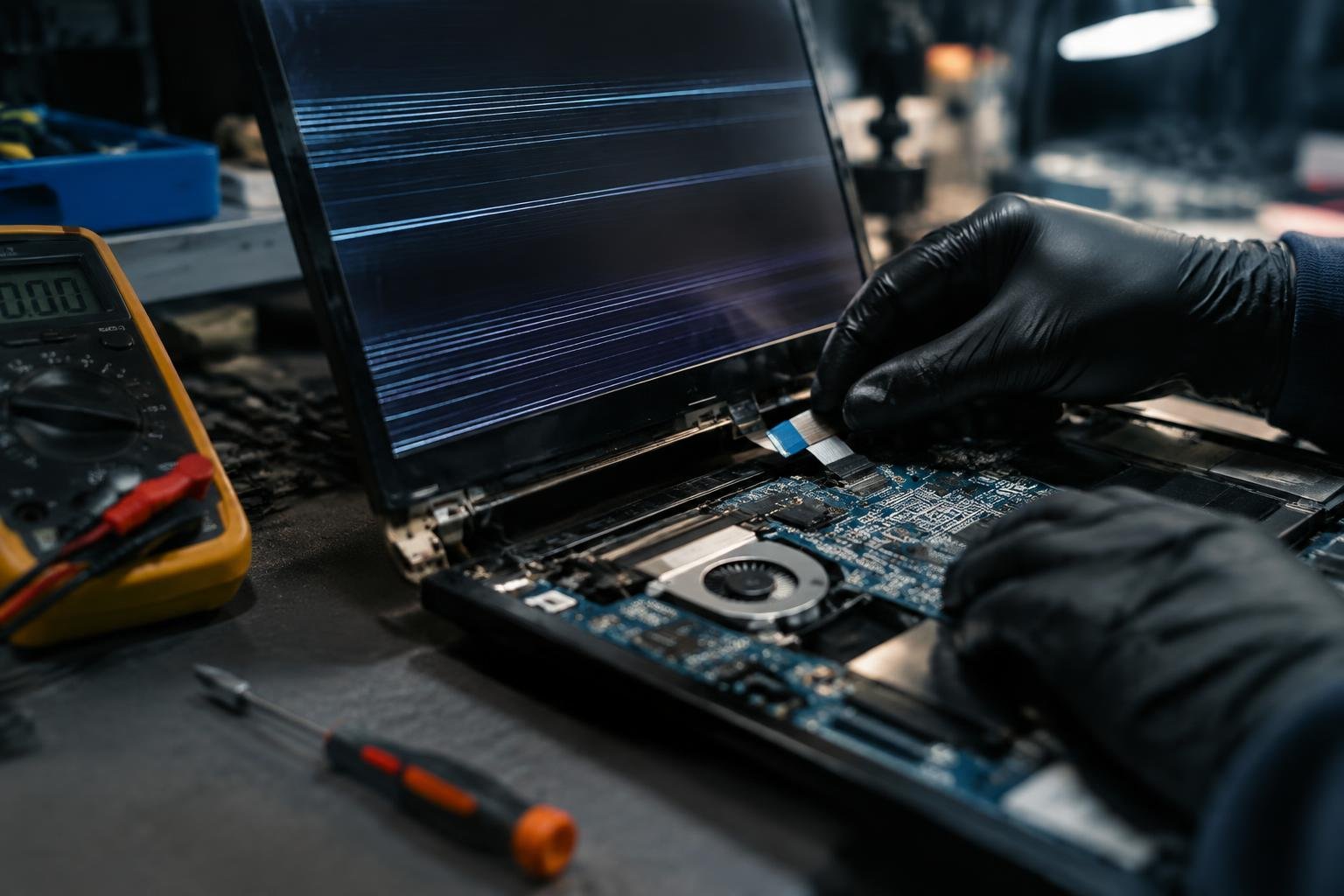
Your laptop screen flickers as soon as you open the lid, disrupting your workflow and straining your eyes. This common issue often stems from hardware or software miscommunication during wake-up from sleep mode. You’re not alone-many users face this behavior across brands like Dell, HP, and Lenovo. The root cause could be linked to display drivers, power settings, or physical cable damage.
Key Takeaways:
- Laptop screen flickering when opening the lid often points to a loose or damaged display ribbon cable, which transmits video signals from the motherboard to the screen.
- Physical stress from repeatedly opening and closing the lid can wear down the ribbon over time, leading to intermittent connections and visible screen glitches.
- Some models, especially ultrabooks with tightly packed hinges, are more prone to this issue due to the narrow space compressing the cable with each movement.
- A temporary fix might involve opening the lid to a specific angle where the flickering stops, suggesting the problem is position-dependent and tied to cable tension.
- Updating or rolling back graphics drivers can rule out software causes, but persistent flickering usually requires hardware inspection or ribbon replacement.
The Damaged Ribbon
If your laptop screen flickers the moment you open the lid, a damaged ribbon cable could be the real culprit. This thin connection runs between the motherboard and display, carrying vital image data with every use. Over time, repeated opening and closing stresses the cable, leading to fraying or disconnection at the connector points. You might notice flickering worsens at certain angles or stops when the lid is held in a specific position. That’s a classic sign of physical strain on the ribbon. Replacing it requires precision but often resolves the issue permanently.
The Digital Ghost in the Machine
Your laptop screen flickers not because of supernatural forces, but due to a disrupted signal between the display and the motherboard. This glitch often appears after opening the lid, hinting at a physical trigger. A loose or damaged internal video cable-commonly called the LVDS or eDP ribbon-can intermittently cut communication, creating what looks like a flickering ghost. You’ve likely noticed the flickering stops when you adjust the screen angle, confirming the connection issue lies in how the cable moves with the hinge. Replacing or reseating this cable typically restores stable display output.
The Struggle for Power
Your laptop flickers to life only when you hold the power button down for several seconds, and even then, the screen stutters unpredictably. This isn’t just a drained battery issue-it points to a deeper conflict between the power management system and the display circuitry. When you open the lid, the sudden demand for power can overwhelm a weakened connection or failing component. You’ve likely noticed the behavior worsens when running on battery alone, suggesting the system can’t stabilize voltage delivery during wake-up. Replacing the battery or resetting the power management controller may restore balance.
The Static Frequency
You’ve likely noticed the flickering happens at a consistent rhythm, not randomly. This pattern points to what engineers call the static frequency-a specific refresh rate conflict between your laptop’s display and GPU. When the system wakes from sleep or powers on, mismatched signal timing can cause the screen to strobe visibly. Adjusting the monitor’s refresh rate in display settings to match the panel’s native frequency often stops the flicker. A mid-sized SaaS firm reported resolving similar issues across 30 devices by simply changing from 59Hz to 60Hz.
Summing up
You now understand the common causes behind a flickering laptop screen when opening the lid, from loose connections to hardware wear. Addressing the issue promptly prevents further damage and extends your device’s usability. You’ve seen how simple fixes like reseating cables or updating drivers can resolve persistent flickering. Your awareness of power settings and display components puts you in control. Apply these solutions methodically, and you’ll restore stable screen performance without unnecessary repair costs.
FAQ
how much does it cost to fix a flickering laptop screen when opening the lid?
Repair costs typically range from $50 to $150, depending on labor rates and parts needed. The final price depends on whether the ribbon cable or display itself is damaged, with some premium models costing more due to part availability.
can opening the laptop lid cause screen flickering over time?
Yes, repeated opening and closing can wear out the internal ribbon cable, leading to flickering. This mechanical stress is common in laptops older than two years, especially if the hinges are loose or the screen is frequently handled roughly.
how long does it take to fix a flickering laptop screen?
Most repairs take 30 minutes to an hour if done by a technician with the right tools. The time varies based on laptop model complexity, and some ultrabooks require extra care due to glued components or tight assembly.
what are the risks of fixing the screen flicker myself?
DIY repair risks damaging the display, ribbon cable, or motherboard if proper handling isn’t followed. Static discharge or using incorrect tools can lead to permanent failure, especially on models with delicate connectors.
are there alternatives to repairing a flickering screen?
Using an external monitor is a reliable alternative that bypasses the built-in display entirely. This works well if the graphics system is functional, though it reduces portability and requires additional desk space.
 Previous Post