



Laptop Keyboard Replacement Cost Guide India
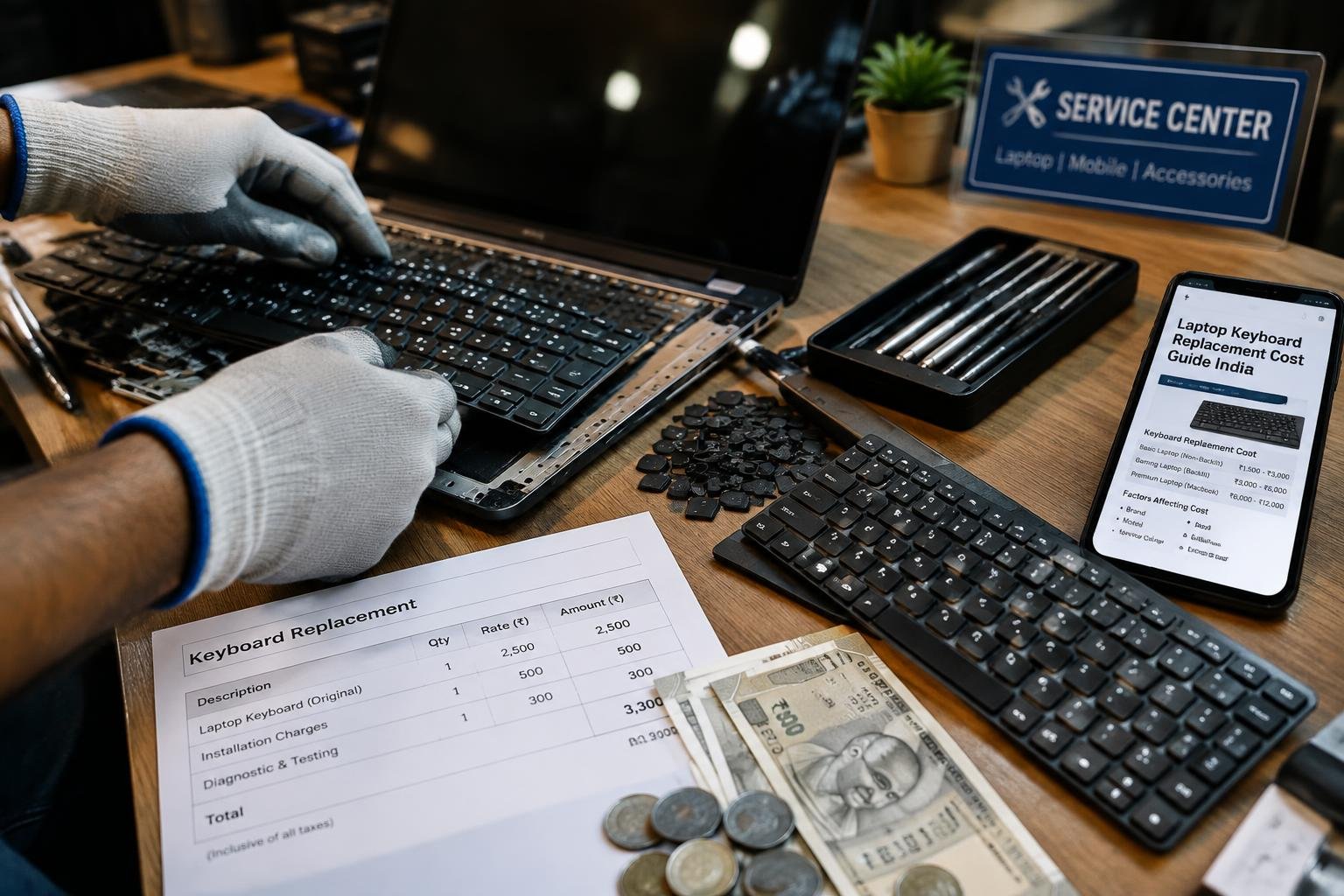
You’re facing a sticky or unresponsive laptop keyboard and need a fix fast. Repair costs in India vary widely based on brand, model, and service choice. This guide breaks down exactly what you’ll pay for a keyboard replacement, from budget local shops to authorized service centers, helping you make an informed decision without overspending.
Key Takeaways:
- Laptop keyboard replacement in India typically costs between ₹1,200 and ₹4,500, depending on the brand, model, and type of keyboard.
- Mechanical or backlit keyboards for high-end laptops like Dell XPS or MacBook Pro often cost more to replace due to limited availability and higher part prices.
- Branded service centers usually charge 20-40% more than local repair shops, but offer genuine parts and warranty on labor.
- Replacing a keyboard yourself can save money, but carries risks such as damaging internal connectors or voiding existing warranties.
- Regular cleaning and using protective keyboard covers can extend keyboard life and delay the need for replacement by months or even years.
Keyboard Types and Their Impact on Replacement Pricing
The technology behind your laptop’s keyboard directly influences replacement costs across India. Different mechanisms vary in complexity, availability, and manufacturing standards, which reflect in pricing. While some keyboards are mass-produced and inexpensive, others use proprietary designs that drive up expenses. You’ll encounter clear price differences depending on the internal structure and illumination features.
- Standard membrane keyboards are generally the most affordable to replace
- Chiclet-style keys dominate modern ultrabooks and influence part cost
- Backlit units require integrated circuitry that increases replacement price
- Mechanical keyboards in high-end models use durable, costly components
- Keyboard assembly design affects labor time and overall repair quote
| Keyboard Type | Average Replacement Cost (INR) |
| Standard Membrane | 800 – 1,500 |
| Chiclet (Non-Backlit) | 1,200 – 2,000 |
| Backlit Chiclet | 1,800 – 3,000 |
| Mechanical (High-Performance) | 3,500 – 6,000+ |
Standard Membrane and Chiclet Keyboards
You typically find standard membrane keyboards in budget and older laptop models, where a rubber dome sits beneath each key. These are inexpensive to manufacture, making replacements widely available and affordable across Indian markets. Chiclet keyboards, with their flat, slightly separated keys, dominate modern entry-level and mid-range laptops. Though slightly more expensive than basic membranes, they still fall within a reasonable replacement range due to common design standards and broad compatibility.
Backlit and High-Performance Mechanical Units
Backlit keyboards integrate LED lighting beneath each keycap, requiring additional wiring and precision assembly, which raises both component and labor costs. These are common in premium laptops where user experience is prioritized. High-performance mechanical units, often seen in gaming or workstation-grade laptops, use individual mechanical switches known for durability and tactile feedback. Their complex construction and limited availability make replacements significantly more expensive compared to standard options.
Primary Factors Influencing Repair Costs in India
The total cost of replacing a laptop keyboard in India hinges largely on the brand and the type of components used. High-end or imported models often command higher prices due to limited parts availability and reliance on genuine manufacturer stock. You may find that mainstream brands like Dell or HP have more accessible replacements, while niche or discontinued series require sourcing rare units. The choice between original equipment and compatible alternatives also directly affects pricing, with authenticity influencing both performance and long-term reliability.
Laptop Brand and Model Availability
Your laptop’s make and model play a decisive role in determining replacement expenses. Brands like Lenovo, Asus, or Acer generally have widespread service networks and readily available parts, keeping costs relatively lower. If you own a less common brand such as MSI or a discontinued model, suppliers may need to import the keyboard or source it from specialized vendors, increasing both wait time and price. Even regional demand fluctuations can affect inventory levels, making certain keyboards harder to obtain at standard rates.
- Premium or imported brands often face longer lead times and higher part costs
- Discontinued models may require custom ordering, raising overall repair expense
- Common brands benefit from local supply chains, reducing replacement delays
- Regional service coverage impacts part accessibility and pricing consistency
- Niche ultrabooks or 2-in-1s use proprietary layouts, limiting generic replacements
OEM vs. Compatible Aftermarket Parts
Choosing between an OEM (original equipment manufacturer) keyboard and a compatible aftermarket unit significantly influences your repair bill. OEM parts are built to match your laptop’s exact specifications, ensuring perfect fit and function but often come at a premium. Aftermarket options are typically cheaper and widely stocked, yet they may vary in key travel, labeling accuracy, or backlight compatibility. While some third-party keyboards perform reliably, others compromise typing experience or durability over time.
Service Center vs. Local Repair Shop Cost Analysis
Choosing where to replace your laptop keyboard directly influences both the final bill and your device’s warranty standing. Authorized service centers typically charge higher rates due to certified technicians and genuine parts, but they preserve your warranty. Local repair shops often offer quicker, more affordable fixes using aftermarket components, though this may void existing coverage. Your decision hinges on balancing immediate savings against long-term protection and part reliability.
Authorized Service Center Pricing and Warranties
You pay a premium at authorized service centers, with keyboard replacements often ranging between ₹3,000 and ₹7,000 depending on brand and model. This cost includes genuine spare parts, factory-trained technicians, and post-repair warranty coverage, usually for 90 days to a year. Manufacturers like Dell, HP, and Lenovo maintain strict service standards, ensuring compatibility and safety. While more expensive, these centers protect your laptop’s original warranty and prevent potential complications from unauthorized modifications.
Local Market Labor Rates and Turnaround Times
Local repair shops in Indian cities typically charge between ₹800 and ₹2,500 for keyboard replacement, with labor costs making up a significant portion. Independent technicians may complete the job in under two hours, offering same-day service in many cases. While savings are attractive, quality varies-some use recycled or non-OEM parts that may wear faster. You also risk limited or no post-repair support, and any errors could lead to further internal damage if not handled carefully.
Maintenance Tips to Avoid Premature Replacement
Proper care of your laptop keyboard can extend its life and delay expensive repairs. Dust, spills, and outdated drivers often lead to avoidable failures. Keeping the device clean and software updated prevents most common issues. Simple habits make a significant difference over time. Consider these practical steps to maintain consistent performance:
- Wipe the keyboard weekly with a dry, lint-free cloth
- Use compressed air to remove trapped debris between keys
- Avoid eating or drinking near the laptop
- Keep your operating system and drivers up to date
- Shut down the device before cleaning
Effective Cleaning Techniques for Dust and Debris
Dust accumulation can restrict key movement and lead to electrical faults over time. Turn off your laptop and unplug it before starting. Use a soft brush or compressed air can to dislodge particles from between the keys. Do not shake the device aggressively. Instead, tilt it slightly and wipe the surface with a slightly damp cloth. Never spray liquids directly on the keyboard. A monthly cleaning routine keeps the mechanism functioning smoothly and reduces the risk of internal damage.
Managing Software Glitches and Driver Compatibility
Software conflicts often mimic hardware failures, making it seem like the keyboard needs replacement. Check Device Manager for any warnings related to the keyboard driver. Update it regularly through trusted sources or your laptop manufacturer’s website. If keys stop responding or register incorrect inputs, a driver rollback or reinstall might resolve the issue. Running periodic system updates ensures compatibility and prevents malfunctions that could otherwise lead to unnecessary hardware interventions.
Step-by-Step DIY Keyboard Replacement Guide
A systematic approach to hardware installation increases your chances of a successful repair without professional help. Following clear steps minimizes the risk of damaging sensitive components during replacement. With patience and attention to detail, you can restore full functionality to your laptop. This process applies broadly across models, though slight variations exist between manufacturers.
| Component | Description |
| Replacement Keyboard | Model-specific unit matching your laptop’s make and layout |
| Plastic Pry Tool | Used to safely remove keycaps and bezels without scratching surfaces |
| Small Phillips Screwdriver | Essential for removing screws on the keyboard bracket and base panel |
| Anti-static Wrist Strap | Prevents electrostatic discharge that could damage internal circuitry |
| Well-lit Workspace | Flat, clean surface with ample lighting and minimal clutter |
Essential Tools and Workspace Preparation
You need the right tools before opening your laptop. Gather a small Phillips screwdriver, plastic pry tool, anti-static wrist strap, and a clean workspace free of dust and moisture. Lay out a soft cloth to place components on and keep screws organized in a small container. Connect the wrist strap to ground yourself and prevent static damage. Ensure your laptop is powered off and disconnected from any power source.
Removing the Defective Unit and Connecting the New Ribbon
Start by carefully detaching the keycaps or palm rest to access the keyboard mounting screws. Remove each screw and gently lift the faulty unit from its housing. Locate the ribbon cable connecting the keyboard to the motherboard and unclip it from the connector. Align the new keyboard’s ribbon into the same slot and press the latch down securely. Reassemble the outer parts only after confirming the connection is firm and error-free.
Pros and Cons of Professional vs. Self-Repair
Deciding between hiring a technician or replacing your laptop keyboard yourself affects both your budget and device safety. A professional service reduces the risk of internal damage but increases costs due to labor charges. Attempting the repair on your own can save money, especially if you already have tools, but one wrong move may lead to further issues like broken connectors or voided warranties. Weighing time, skill level, and potential risks helps determine the best path without compromising your laptop’s functionality.
| Aspect | Professional Repair vs. DIY |
|---|---|
| Labor Cost | Higher with technicians; minimal when self-repaired |
| Repair Time | Faster with experts; varies with personal experience |
| Tool Requirement | Handled by technician; must be purchased or borrowed |
| Error Risk | Low with certified service; high for beginners |
| Warranty Impact | Preserved when using authorized centers |
| Part Quality | Guaranteed genuine with professionals |
| Learning Opportunity | Limited; hands-on knowledge gained through DIY |
| Device Safety | Highly protected with expert handling |
| Convenience | Drop-off and forget; requires effort and focus at home |
| Total Expense Control | Less control; full cost transparency in DIY |
Benefits of Certified Technician Expertise
You gain peace of mind when a certified technician handles your laptop’s keyboard replacement. These professionals use precise tools and follow manufacturer protocols, reducing the chance of damaging delicate ribbons or motherboard contacts. Your warranty remains intact when repairs are done through authorized channels, and most service centers offer post-repair support. For complex models like ultrabooks or premium brands, their experience ensures the job is done right the first time, minimizing long-term costs tied to repeated failures.
Risks and Cost Savings of the DIY Approach
You can save up to 60% on total repair costs by doing the replacement yourself, particularly if you source parts directly from online suppliers. Basic models with accessible keyboards make this feasible even for beginners. However, static discharge, misaligned connectors, or stripped screws can cause permanent damage. Without prior experience, what starts as a budget-friendly fix might end in a more expensive board-level repair. Only attempt this route if you’re comfortable with small electronics and have access to reliable guides.
To wrap up
You now have a clear understanding of what drives laptop keyboard replacement costs across India. From the type of keyboard to the service provider you choose, each factor directly affects the final price. Opting for branded service centers may cost more but often brings reliability, while local shops offer affordability with varying quality. If you’re technically confident, a DIY replacement can save money, provided you source the correct part. Your decision should balance cost, convenience, and long-term usability based on your laptop’s model and usage needs.
FAQ
How much does laptop keyboard replacement cost in India?
Laptop keyboard replacement in India typically costs between ₹1,500 and ₹6,000, depending on the brand, model, and type of keyboard. Higher-end laptops or those requiring OEM parts from authorized centers may fall on the upper end of the range.
Is it worth replacing a laptop keyboard instead of buying a new laptop?
Replacing a laptop keyboard is usually worth it if the rest of the device is functioning well and the repair cost is under half the price of a new laptop. This becomes less viable for older models or when motherboard damage is suspected.
How long does it take to replace a laptop keyboard?
Keyboard replacement typically takes 1 to 2 hours at a repair shop, depending on the laptop model and technician experience. Some rare or compact models may require additional time due to complex disassembly procedures.
What are the risks of DIY laptop keyboard replacement?
DIY keyboard replacement risks damaging the ribbon cable, motherboard, or surrounding components if proper tools and techniques aren’t used. Inexperience can lead to static discharge or misalignment, especially on thin or proprietary laptop designs.
Can software issues cause keyboard failure instead of hardware damage?
Yes, software glitches, driver conflicts, or operating system updates can mimic or cause keyboard failure without any physical damage. These issues can often be resolved through driver reinstallation or system rollback, avoiding hardware replacement.
 Previous Post