



Laptop Speaker Replacement Cost Guide
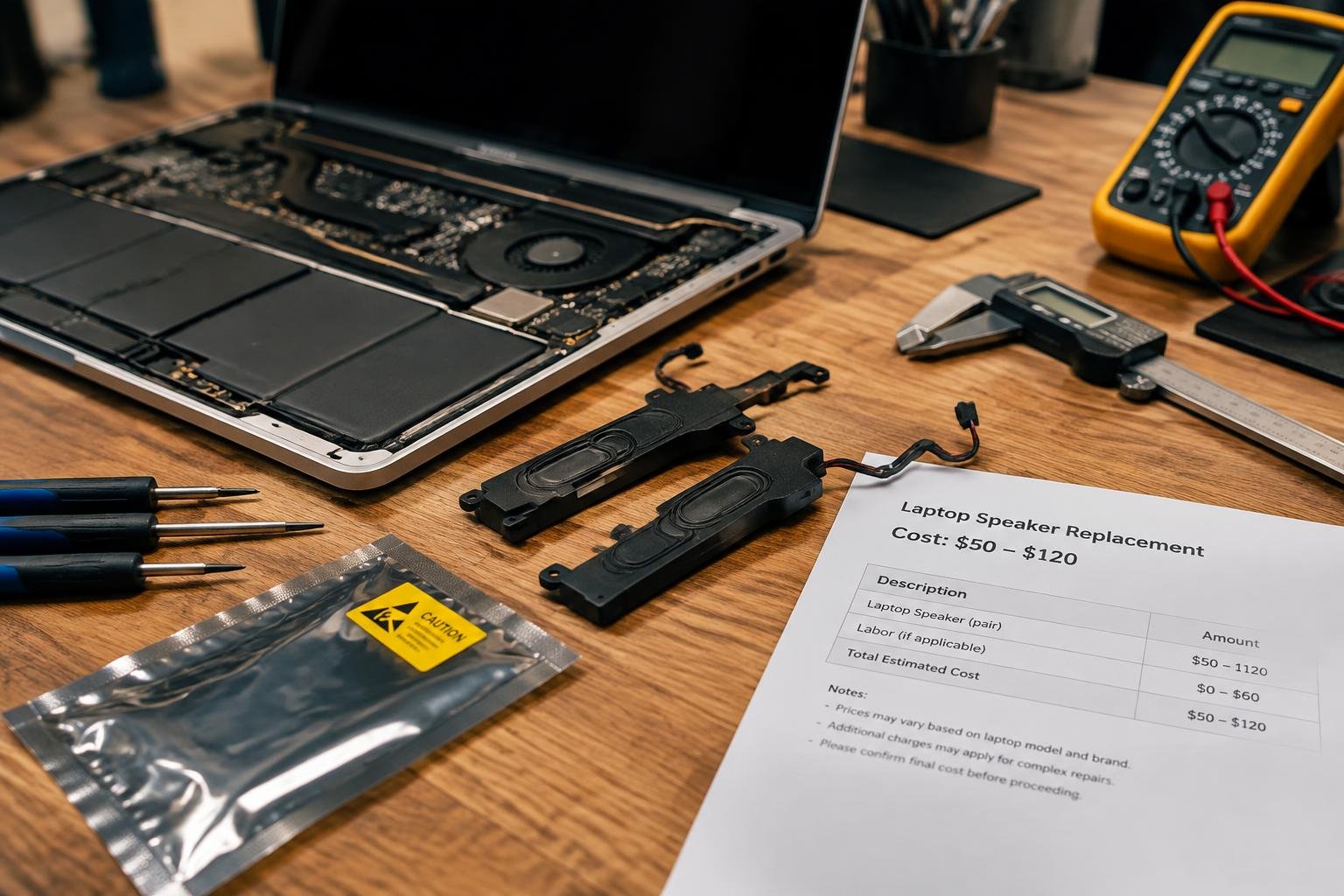
You want clear sound without overspending on repairs. Replacing laptop speakers varies in cost and complexity depending on your model, parts, and service choice. This guide breaks down what you’ll pay, why prices differ, and how to make an informed decision-whether you’re fixing an older machine or maintaining a newer one. Real-world factors shape every repair.
Key Takeaways:
- Laptop speaker replacement costs typically range from $30 to $150, depending on the brand, model, and labor rates, with premium or ultrabook models often requiring more expensive parts and specialized service.
- DIY repairs can cut costs significantly, as labor usually accounts for 50% to 70% of the total expense, but require technical confidence and proper tools to avoid damaging internal components.
- Some laptops have integrated speakers built into the motherboard or hinge assembly, making replacements more complex and costly compared to models with modular, easily accessible speaker units.
- Apple and high-end Windows laptops like Dell XPS or Lenovo ThinkPad often have proprietary speaker designs, leading to higher part prices and limited third-party availability.
- Before opting for replacement, verify that audio issues aren’t caused by software glitches, driver problems, or incorrect settings-simple troubleshooting may resolve the issue at no cost.
Common Laptop Speaker Types and Configurations
Different laptops use various internal speaker setups, each affecting audio quality and serviceability. Identifying your device’s configuration helps ensure compatibility during repairs. Most modern systems rely on compact yet effective designs that balance space constraints with sound performance.
- Integrated stereo drivers
- Dual front-firing speakers
- Keyboard-mounted speaker bars
- Subwoofer and tweeter combinations
- Bottom-chassis resonance units
| Speaker Type | Description |
|---|---|
| Full-range drivers | Compact units handling broad frequencies; common in ultrabooks |
| Stereo pair modules | Matched left-right units for balanced imaging; found in premium models |
| Resonant cavity speakers | Use chassis as sound chamber; typical in metal-bodied laptops |
| Passive radiators | Non-powered diaphragms enhancing bass without a subwoofer |
| Multi-driver arrays | Combination of tweeters, mids, and subs in high-end multimedia laptops |
Integrated Stereo Drivers
Your laptop likely uses integrated stereo drivers if it delivers clear midrange and decent highs without external amplification. These matched speaker pairs are mounted symmetrically, often near the display hinge or beneath keyboard grilles. They operate within tight physical limits, relying on digital signal processing to widen the soundstage. While compact, they offer reliable performance for everyday tasks like video calls and streaming, making them a standard in mainstream notebooks from brands like Dell, HP, and Lenovo.
Specialized Subwoofer and Tweeter Units
Some performance-oriented laptops separate audio duties using dedicated tweeters and subwoofers to enhance fidelity. You’ll find this configuration in gaming and creator-focused models such as certain ASUS ROG or MSI workstations. The tweeter handles crisp high-frequency details, while the downward-firing subwoofer adds depth to music and film soundtracks. This division allows richer audio reproduction, though repairs may require replacing multiple components to maintain balance across the frequency spectrum.
Primary Factors Influencing Total Repair Costs
The brand of your laptop and the availability of replacement parts play a major role in determining how much you’ll pay to fix faulty speakers. High-end manufacturers like Apple or Dell often use proprietary components, which can drive up prices due to limited sourcing. Mass-market brands may offer more accessible parts, reducing overall costs. Discontinued models present another challenge-older or rare units might require scavenging parts from third-party suppliers, increasing both wait times and expenses.
- Premium brands typically use custom-designed audio components
- OEM parts are engineered to match original specifications exactly
- Aftermarket alternatives vary in quality and compatibility
- Rare or outdated models face supply shortages, inflating prices
- Global supply chain conditions can affect part availability
OEM vs. Aftermarket Component Pricing
You’ll usually find a noticeable gap in cost between OEM and aftermarket speakers. OEM parts come directly from the laptop manufacturer, ensuring perfect fit and sound calibration but often at a premium price. Aftermarket options are generally cheaper and widely available, yet they may compromise on durability or audio fidelity. Your choice here affects not just the repair bill but also long-term performance, especially if you rely on clear audio for meetings or media work.
Laptop Accessibility and Design Complexity
Your device’s internal layout can significantly impact speaker replacement pricing, even before labor is factored in. Many ultrabooks and high-density models integrate speakers into sealed assemblies or place them beneath unibody panels, making access difficult without specialized tools. These designs increase the risk of damaging other components during disassembly, prompting technicians to charge more for the added time and precision required. Simpler chassis with modular internals allow quicker swaps and lower material handling fees.
Pros and Cons of Professional vs. DIY Repair
Choosing between professional service and a do-it-yourself fix involves balancing skill, time, and cost. A technician brings precision and experience, reducing the chance of further damage, while self-repair offers immediate savings on labor. Your confidence with small electronics, access to tools, and warranty status all influence this decision. Weighing these elements helps determine the best path without compromising your device’s functionality or long-term value.
| Factor | Professional Repair | DIY Repair |
|---|---|---|
| Cost | Higher due to labor and service fees | Lower; only parts and tools required |
| Time Investment | Labor completed quickly by experts | Time-consuming, especially for beginners |
| Skill Requirement | Handled by trained technicians | Requires technical knowledge and patience |
| Warranty Impact | Preserves manufacturer coverage | Often voids existing warranty |
| Error Risk | Minimal due to experience | High if unfamiliar with internal components |
| Parts Quality | Typically OEM or certified replacements | Varies; depends on supplier choice |
| Convenience | Scheduled drop-off or mail-in service | Immediate start, but setup needed |
| Longevity of Fix | Reliable, lasting results | May require rework if done incorrectly |
| Tool Access | Technician has full toolkit | You must purchase or borrow tools |
| Support & Follow-up | Service guarantees and customer support | No formal support after completion |
Benefits of Certified Technician Expertise
You gain peace of mind when a certified technician handles your laptop’s speaker replacement. These professionals diagnose issues accurately, use proper tools, and follow manufacturer protocols to ensure a clean repair. Their experience reduces the risk of damaging fragile circuits or connectors during disassembly. Most offer service warranties, so if the speaker fails again, you’re covered. This level of reliability is especially valuable if your laptop is still under manufacturer-backed coverage or used for critical work tasks.
Risks of Self-Service and Warranty Voiding
Your attempt to replace the speaker yourself might save money upfront, but it carries real risks. Opening the chassis often invalidates the manufacturer’s warranty, leaving you responsible for any future repairs. Without proper tools or experience, you could misalign connectors, crack the casing, or damage the motherboard. Even minor mistakes may lead to audio distortion, no sound output, or a non-functional device. If the laptop is newer or high-end, the potential for costly errors outweighs the savings on labor.
Expert Tips for Minimizing Replacement Expenses
Reducing your laptop speaker replacement costs starts with understanding how warranties can cover or eliminate repair fees. Many manufacturers include speaker components under standard coverage, especially if the failure stems from a defect rather than accidental damage. You can also benefit from extended warranty plans offered at purchase, which often extend protection beyond the initial year. Review your plan details carefully to confirm what is included and avoid unnecessary out-of-pocket expenses.
- Check if your laptop is still under the original manufacturer’s warranty
- Review terms of any extended warranty or protection plan you purchased
- Confirm whether speaker defects are explicitly covered
- Keep proof of purchase and service records accessible
- Contact customer support directly to verify coverage before repair
Checking Manufacturer Coverage and Extended Warranties
Most laptop manufacturers provide at least a one-year warranty that includes internal hardware like speakers, provided the damage isn’t due to misuse. You should examine your warranty documentation to see if speaker failure from manufacturing defects qualifies for free repair or replacement. Extended warranties purchased at checkout often expand this coverage, sometimes including accidental damage. If your laptop is still within this period, filing a claim can completely eliminate replacement costs.
Sourcing Quality Discounted Hardware
You can find reliable replacement speakers at reduced prices by exploring third-party suppliers and refurbished parts marketplaces. Many online retailers offer compatible components that meet OEM specifications without the premium price tag. Look for sellers with strong return policies and verified customer feedback to ensure reliability. Some manufacturers even sell spare parts directly at lower rates than authorized repair centers, giving you a cost-effective option that doesn’t sacrifice performance or fit.
Step-by-Step Hardware Replacement Guide
Replacing your laptop’s speakers requires careful handling of internal components and the right preparation. Before touching any hardware, ensure you’re working in a static-free environment with ample lighting and space. Disassemble and reassemble your device methodically to avoid damage and ensure proper reintegration of parts.
| Necessary Tools and Safety Preparation | Component Removal and Installation Procedures |
Necessary Tools and Safety PreparationYou’ll need a precision screwdriver set, plastic pry tools, an anti-static wrist strap, and a clean workspace. Power down the laptop completely and disconnect the charger. Remove the battery if possible to prevent accidental short circuits. Ground yourself by touching a metal surface or wearing a wrist strap connected to ground. Keep screws organized in a labeled tray to avoid confusion during reassembly. |
Component Removal and Installation ProceduresBegin by removing the bottom panel screws and carefully prying open the chassis with a plastic tool. Locate the speaker assembly near the display hinges or beneath the palm rest. Disconnect the old speaker’s ribbon cable or audio connector from the motherboard. Align the new speaker in place, reconnect the cable securely, and fasten it with screws if applicable. Reattach the panel and test sound before finalizing. |
Final Words
You now have a clear understanding of what influences laptop speaker replacement costs, from speaker type and labor rates to brand-specific pricing and repair approach. Whether you choose professional service or a DIY fix, your decision impacts both outcome and expense. By assessing your technical skill, warranty status, and budget, you can make a confident, cost-effective choice. Realistic expectations and informed planning ensure your laptop delivers better audio without unexpected surprises.
FAQ
How much does it cost to replace laptop speakers?
Replacing laptop speakers typically costs between $50 and $150, including parts and labor. The final price depends on the laptop brand, whether components are sourced from OEM or aftermarket suppliers, and the repair shop’s hourly rates.
How long does it take to replace speakers in a laptop?
A laptop speaker replacement usually takes 1 to 2 hours to complete. The duration can vary based on the laptop model’s design complexity and whether additional disassembly steps are required to access the audio hardware.
What are the risks of replacing laptop speakers myself?
DIY speaker replacement risks damaging internal components, voiding your warranty, or misaligning parts during reassembly. Inexperience with small screws and ribbon cables increases the chance of causing further issues, especially on tightly integrated models.
What common mistakes should I avoid when replacing laptop speakers?
Common mistakes include using improper tools, skipping ESD safety measures, and disconnecting cables incorrectly. Failing to label screws and components during disassembly often leads to reassembly problems, especially on laptops with multiple fastener types.
Are there alternatives to replacing laptop speakers?
Yes, using external speakers or headphones is a reliable alternative to internal speaker replacement. This avoids repair costs entirely and is ideal if the built-in audio issue is minor or if the laptop is nearing end-of-life.
 Previous Post